 Printhawk
Pixels to inches: the formula and conversion tables for print
Updated
Inches = pixels ÷ dpi. A 3000-pixel-wide image prints 10 inches wide at 300 dpi, 15 inches at 200 dpi and 20 inches at 150 dpi. Pixels have no physical size until you pick a print resolution, so always say which dpi you mean. For centimetres, multiply the inches by 2.54.
The formula
A digital image is a grid of pixels. A print is a physical size. The link between them is the resolution you print at, written as dpi or ppi (dots or pixels per inch; for this conversion they mean the same thing, see dpi vs ppi).
| You know | You want | Formula | Example |
|---|---|---|---|
| Pixels and dpi | Inches | pixels ÷ dpi | 2400 ÷ 300 = 8 in |
| Pixels and dpi | Centimetres | pixels ÷ dpi × 2.54 | 2400 ÷ 300 × 2.54 = 20.32 cm |
| Inches and dpi | Pixels | inches × dpi | 10 × 300 = 3000 px |
| Pixels and inches | Effective dpi | pixels ÷ inches | 3000 ÷ 20 = 150 dpi |
Do the width and the height separately. A 6000 × 4000 pixel photo at 300 dpi is 20 × 13.33 inches; the same file at 200 dpi is 30 × 20 inches. The inch is exactly 25.4 mm, so the centimetre figures are exact too.
Pixels to inches table
Print size in inches for common pixel widths (or heights). Pick the column for the resolution you print at. The last column gives centimetres at 300 dpi.
| Pixels | 72 dpi | 150 dpi | 200 dpi | 300 dpi | 300 dpi (cm) |
|---|---|---|---|---|---|
| 600 | 8.33 in | 4 in | 3 in | 2 in | 5.08 cm |
| 800 | 11.11 in | 5.33 in | 4 in | 2.67 in | 6.77 cm |
| 1000 | 13.89 in | 6.67 in | 5 in | 3.33 in | 8.47 cm |
| 1080 | 15 in | 7.2 in | 5.4 in | 3.6 in | 9.14 cm |
| 1200 | 16.67 in | 8 in | 6 in | 4 in | 10.16 cm |
| 1500 | 20.83 in | 10 in | 7.5 in | 5 in | 12.7 cm |
| 1600 | 22.22 in | 10.67 in | 8 in | 5.33 in | 13.55 cm |
| 1920 | 26.67 in | 12.8 in | 9.6 in | 6.4 in | 16.26 cm |
| 2000 | 27.78 in | 13.33 in | 10 in | 6.67 in | 16.93 cm |
| 2400 | 33.33 in | 16 in | 12 in | 8 in | 20.32 cm |
| 2560 | 35.56 in | 17.07 in | 12.8 in | 8.53 in | 21.67 cm |
| 3000 | 41.67 in | 20 in | 15 in | 10 in | 25.4 cm |
| 3600 | 50 in | 24 in | 18 in | 12 in | 30.48 cm |
| 3840 | 53.33 in | 25.6 in | 19.2 in | 12.8 in | 32.51 cm |
| 4000 | 55.56 in | 26.67 in | 20 in | 13.33 in | 33.87 cm |
| 4500 | 62.5 in | 30 in | 22.5 in | 15 in | 38.1 cm |
| 5000 | 69.44 in | 33.33 in | 25 in | 16.67 in | 42.33 cm |
| 6000 | 83.33 in | 40 in | 30 in | 20 in | 50.8 cm |
| 7200 | 100 in | 48 in | 36 in | 24 in | 60.96 cm |
| 8000 | 111.11 in | 53.33 in | 40 in | 26.67 in | 67.73 cm |
The 72 dpi column is there because many files still carry 72 as their “resolution”. It is a screen-era label, not a print target: a print at 72 dpi looks soft and blocky at normal viewing distance.
Print sizes in pixels
Working the other way: the pixels your file needs for common print sizes. Inch sizes are exact; A sizes and centimetre sizes are converted at 25.4 mm per inch and rounded to the nearest pixel.
| Print size | 150 dpi | 200 dpi | 300 dpi | Megapixels at 300 dpi |
|---|---|---|---|---|
| 4 × 6 in | 600 × 900 | 800 × 1,200 | 1,200 × 1,800 | 2.2 |
| 5 × 7 in | 750 × 1,050 | 1,000 × 1,400 | 1,500 × 2,100 | 3.2 |
| 8 × 10 in | 1,200 × 1,500 | 1,600 × 2,000 | 2,400 × 3,000 | 7.2 |
| 8 × 12 in | 1,200 × 1,800 | 1,600 × 2,400 | 2,400 × 3,600 | 8.6 |
| 11 × 14 in | 1,650 × 2,100 | 2,200 × 2,800 | 3,300 × 4,200 | 13.9 |
| 11 × 17 in | 1,650 × 2,550 | 2,200 × 3,400 | 3,300 × 5,100 | 16.8 |
| 12 × 16 in | 1,800 × 2,400 | 2,400 × 3,200 | 3,600 × 4,800 | 17.3 |
| 12 × 18 in | 1,800 × 2,700 | 2,400 × 3,600 | 3,600 × 5,400 | 19.4 |
| 16 × 20 in | 2,400 × 3,000 | 3,200 × 4,000 | 4,800 × 6,000 | 28.8 |
| 18 × 24 in | 2,700 × 3,600 | 3,600 × 4,800 | 5,400 × 7,200 | 38.9 |
| 20 × 30 in | 3,000 × 4,500 | 4,000 × 6,000 | 6,000 × 9,000 | 54.0 |
| 24 × 36 in | 3,600 × 5,400 | 4,800 × 7,200 | 7,200 × 10,800 | 77.8 |
| A4 (21 × 29.7 cm) | 1,240 × 1,754 | 1,654 × 2,339 | 2,480 × 3,508 | 8.7 |
| A3 (29.7 × 42 cm) | 1,754 × 2,480 | 2,339 × 3,307 | 3,508 × 4,961 | 17.4 |
| A2 (42 × 59.4 cm) | 2,480 × 3,508 | 3,307 × 4,677 | 4,961 × 7,016 | 34.8 |
| A1 (59.4 × 84.1 cm) | 3,508 × 4,967 | 4,677 × 6,622 | 7,016 × 9,933 | 69.7 |
| 30 × 40 cm | 1,772 × 2,362 | 2,362 × 3,150 | 3,543 × 4,724 | 16.7 |
| 50 × 70 cm | 2,953 × 4,134 | 3,937 × 5,512 | 5,906 × 8,268 | 48.8 |
The full list of sizes, with drawings, is on standard print sizes. If you sell on paper with a white border or on canvas, the printed area can differ from the nominal size: use the lab’s print-area dimensions, not the product name.
Worked examples
- A phone photo, 4032 × 3024 px. At 300 dpi: 4032 ÷ 300 = 13.44 in by 3024 ÷ 300 = 10.08 in. At 200 dpi: 20.16 × 15.12 in. It makes a sharp 8 × 10 (after cropping, because 4:3 is not 4:5) and a decent 16 × 20 at about 190 dpi on the short side (3024 ÷ 16).
- A 24-megapixel camera file, 6000 × 4000 px. 20 × 13.33 in at 300 dpi, 30 × 20 in at 200 dpi, 40 × 26.67 in at 150 dpi. A 20 × 30 in poster lands at exactly 200 dpi.
- Digital art drawn at 3508 × 4961 px. That is A3 at 300 dpi. Printed at A2 it becomes 3508 ÷ (420 ÷ 25.4) ≈ 212 dpi, still a good wall print. At A1 it drops to about 150 dpi.
- Does my file fit 18 × 24? A 3600 × 4800 px file: 3600 ÷ 18 = 200 dpi, 4800 ÷ 24 = 200 dpi. Same number on both sides means the shapes match; different numbers mean the image will be cropped or bordered (see cropping for print).
Which dpi column should you use?
300 dpi is the usual target for prints seen up close, and it is what Prodigi calls ideal in its image FAQ, adding that some products, such as canvas, may need less. 200 dpi is a sensible floor for most wall art; 150 dpi is often fine for large posters seen from a few steps away. The reasoning, with viewing distances, is in dpi for printing and what 300 dpi means.
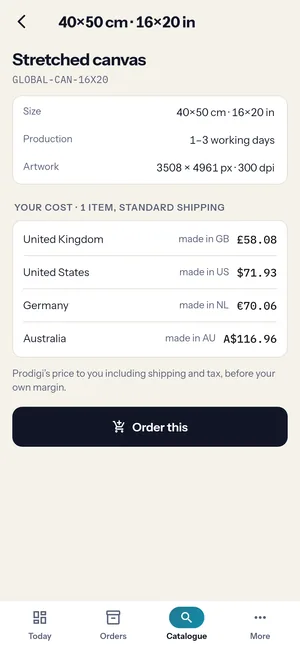
Labs that take orders by API usually check the effective resolution for you. Prodigi’s catalogue lists each variant’s print area in millimetres with a recommended dpi, and orders can carry a resolution_low issue when the file falls short (see Prodigi artwork errors).
Mistakes that cost reprints
- Trusting the dpi field. A file tagged 300 dpi can still be 800 pixels wide. Only the pixel count matters; the dpi tag just sets a default print size.
- Converting one side only. Check both width and height against the print, or a 16:9 screenshot will be cropped hard on a 4:5 print.
- Forgetting bleed. Borderless prints need a little extra image on every edge (bleed).
- Upscaling to hit a number. Adding pixels does not add detail. If you must, do it well: upscaling for print.
Questions
How many pixels is an inch?
It depends on the resolution you print at. At 300 dpi an inch is 300 pixels, at 150 dpi it is 150 pixels and at 72 dpi it is 72 pixels. A pixel has no fixed size until you choose that number.
How do I convert pixels to inches?
Divide the pixels by the dpi (pixels per inch). 3000 pixels at 300 dpi is 3000 ÷ 300 = 10 inches. For centimetres, multiply the inches by 2.54.
How big can I print a 3000 × 2000 pixel image?
10 × 6.67 inches at 300 dpi, 15 × 10 inches at 200 dpi, or 20 × 13.3 inches at 150 dpi. Which one is right depends on how close people will stand to it.
Is 72 dpi too low for printing?
For most prints, yes. 72 is a screen-era convention, not a print target. A file only works at 72 dpi if it is very large in pixels, such as a billboard file viewed from far away.
Does changing the dpi in Photoshop change the image?
Not if Resample is switched off. The pixels stay the same and only the print size written in the file changes. With Resample on, Photoshop adds or removes pixels.
Sources
- Conversions calculated at 1 inch = 25.4 mm (the international inch) and rounded to two decimals or the nearest pixel; A-size dimensions from ISO 216.
- Prodigi, FAQ: Images (resolution, image size guide), prodigi.com/faq/images, read 27 November 2026.
- Prodigi Print API v5 reference: catalogue print areas (widthMm, heightMm, recommendedDpi) and validation issue codes (prodigi.com/print-api/docs), read 27 November 2026.