 Printhawk
Read-only mode
Updated
Handing your phone to someone, or just want to look without risk? Read-only hides every change for an account.
Steps
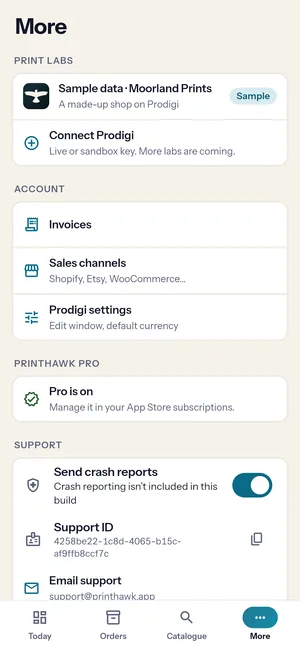
- Go to More and tap the account under Print labs.
- Turn on Read-only.
- The account shows “read-only” in More, and orders say “Read-only: changes are hidden for this account.”
What it hides
- Send to the lab now, Edit address, Report a problem, Reorder and Cancel order on every order.
- The + new order button in Orders and Order this in the catalogue.
Even without read-only, Printhawk never changes an order without a confirm sheet and Face ID. How the key works: the Prodigi API. Related: multiple accounts, privacy and security.
Questions
Does read-only change my Prodigi key?
No. It's a setting in Printhawk for that account. The key can still do everything Prodigi allows; Printhawk just hides the buttons.
Is read-only free?
Yes. You can turn it on for any connected account, on Free or Pro.
What can I still see?
Everything: Today, orders, timelines, tracking, catalogue prices, invoices and sales channels.
Can I set it for one account only?
Yes. Read-only is per account, so a live account can be read-only while a sandbox account isn't.