 Printhawk
The Prodigi sandbox: how to test without printing
Updated
Prodigi’s sandbox lets you create and submit test orders that are never printed, shipped or charged. Use a sandbox_ key from the sandbox dashboard on the same base URL as live. Orders are separate, but artwork, saved products, settings, sales channels and billing are shared with your live account, so treat those as real.
Sandbox vs live
| Sandbox | Live | |
|---|---|---|
| Key prefix | sandbox_ | live_ |
| Base URL | https://api.prodigi.com/v5 for both | |
| Get the key | Sandbox dashboard, API settings | dashboard.prodigi.com, API settings |
| Orders | Not printed, shipped or charged | Real, paid fulfilment |
| Production stage scans | None | For orders made at Prodigi’s own sites |
| Report an issue | Not available (503) | Creates a support ticket |
| Prices | Usually the same; may differ | Authoritative |
What is shared with live
This is the part that catches people out. Prodigi’s v5 documentation says sandbox orders are separate from live orders, but artwork, saved products, account settings, sales-channel connections and billing use live account services, and changes to those shared resources can affect your live account. In practice:
- Don’t change the edit window or notification settings from a sandbox script unless you mean it for live.
- Don’t delete or disable a sales channel, mapping or product while “testing”.
- Assets you upload in sandbox are real assets in your library.
Safe to do freely: quotes, catalogue reads and creating, submitting and cancelling sandbox orders.
Keys
Each environment has its own key; a sandbox key can’t call live and vice versa. Changing the prefix doesn’t convert a key, and test_ keys aren’t supported. Regenerate keys from the matching dashboard if one leaks. Requests with no recognised prefix get 401. More: your Prodigi API key.
A test plan that catches real problems
- Create a draft, add and remove an item, change the address, then submit.
- Create with
submit: trueand an item that will fail; check your code resubmits the draft rather than creating another order. - Repeat a create with the same
Idempotency-Key; you should get the same order back. - If you use pausing, list
?status=paused, then resume one and cancel another. - Try a post-submission edit other than the recipient; expect
409 order_not_editable. - Exceed the rate limit deliberately and check you honour
Retry-After. - Send nested order metadata; make sure your code flattens it.
The list follows Prodigi’s own pre-launch checks in its v4 to v5 migration guide (see API v5).
Sandbox in Printhawk
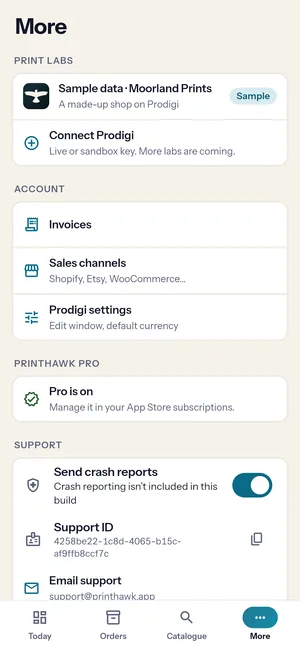
Printhawk can hold a sandbox account next to your live ones (Pro) and labels it clearly, so you can try sending an order early or cancelling without touching a real customer’s parcel. See sandbox and live in Printhawk.
Questions
Are Prodigi sandbox orders charged?
No. Prodigi says sandbox orders are not printed, shipped or charged.
Where do I find my Prodigi sandbox key?
In API settings in the sandbox dashboard, which is separate from the live dashboard at dashboard.prodigi.com. The v5 docs link it at sandbox-beta-dashboard.pwinty.com.
Can I turn my live key into a sandbox key by changing the prefix?
No. Prodigi issues separate keys for each environment; changing live_ to sandbox_ doesn't convert a key, and test_ keys aren't supported.
Are sandbox and live prices the same?
Prodigi aims for parity but says there may be differences, and live has the most accurate pricing. Use a live quote before setting retail prices.
Is anything in the sandbox shared with my live account?
Yes. Prodigi's v5 docs say artwork, saved products, account settings, sales-channel connections and billing use live account services, so changing them from sandbox can affect live.
Sources
- Prodigi Print API v5 reference: introduction (“Sandbox and live”), OrderStatus history notes, POST /orders/{orderId}/issues (prodigi.com/print-api/docs), read 27 November 2026.
- Prodigi FAQ, Print API (sandbox vs live, keys, prices) (prodigi.com/faq/print-api), read 27 November 2026.
- Prodigi blog, “How to migrate from v4 to v5 of our print API”, 2 November 2026, read 27 November 2026.