 Printhawk
Change a delivery address
Updated
Fix a typo or a new address before the order is made.
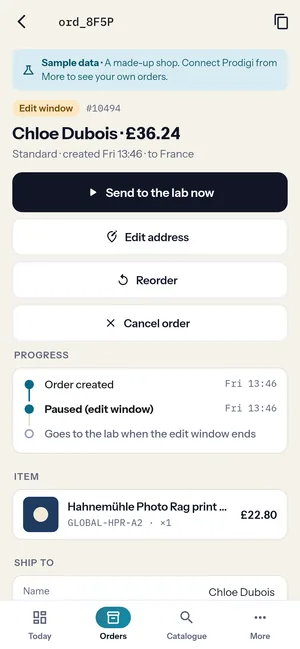
Steps
- Open the order and tap Edit address.
- Correct the fields: name, email (optional, for carrier updates), address lines, town, county or state, postcode, and the two-letter country code (GB, US, DE…).
- Tap Use this address.
- Check the sheet, tap Save address and confirm with Face ID.
- Printhawk shows “Address updated.”
Rules
- Shown only when Prodigi lists
updatein the order’s allowed actions. - Printhawk Pro; hidden in read-only mode.
- A different country may move the order to another lab and change the shipping cost.
Parcel already flagged by the carrier? See delivery exceptions. Background on changing a Prodigi address.
Questions
When can I change the address?
While Prodigi allows updates to the order, usually before production, such as during your edit window. Printhawk shows Edit address only then.
What happens if I change the country?
Prodigi ships to the new address, and the lab and shipping cost can change too, because orders are routed by destination.
The parcel has already shipped to a wrong address. Can I change it?
Not in Printhawk. Check the carrier's tracking, ask the customer, and report it to Prodigi if it needs a reship.
Which fields are required?
Name, address line 1, town or city, postcode or ZIP and a two-letter country code. County or state is needed for the US, Canada and Australia.