 Printhawk
Squarespace print on demand: selling prints from your portfolio site
Updated
Squarespace print on demand means connecting your Squarespace shop to a print lab. You build the print products in Squarespace, connect the store from the lab’s dashboard, and link each product to a lab product and artwork. Orders then go to the lab automatically, which prints and ships them in unbranded packaging.
Why photographers and artists use Squarespace
Many artists and photographers already have a Squarespace portfolio. Adding a shop keeps buyers on your own site, next to your work and your story, instead of sending them to a marketplace. What Squarespace doesn’t do is print: a print-on-demand lab fills that gap, so you hold no stock and post nothing yourself. Selling requires a Squarespace plan that includes commerce; check Squarespace’s current plans before you build.
Connecting a print lab
Prodigi’s help centre describes the Squarespace connection like this:
- Create the products in Squarespace first, with variants for each size and paper.
- In the Prodigi dashboard, open Sales channels and click Connect your Squarespace store, then wait for Prodigi’s email.
- Switch on fulfilment for each product with its toggle, then link variants to Prodigi products and upload the artwork for automatic fulfilment.
- Orders route to Prodigi. Squarespace orders default to Auto-select shipping, which follows the customer’s choice at checkout.
- Status updates and tracking, when available, are sent to your sales channel and your customer.
Prodigi’s FAQ says it doesn’t yet publish shipping profiles to stores, so set your Squarespace shipping rates yourself from the lab’s real costs.
Product setup that avoids reprints
- Match the shape. A photo shot at 3:2 fits 8×12 or 20×30 inches without cropping, but not A3 or 16×20. Offer sizes that suit your images (see aspect ratios).
- Check resolution per size. Large sizes need large files; link a big size only if your file can carry it.
- Name papers clearly. Use the paper’s real name in the variant (for example a named Hahnemühle paper), so you link the right lab product.
- Order a sample of each paper and frame you list, and photograph it for the listing.
Running it day to day
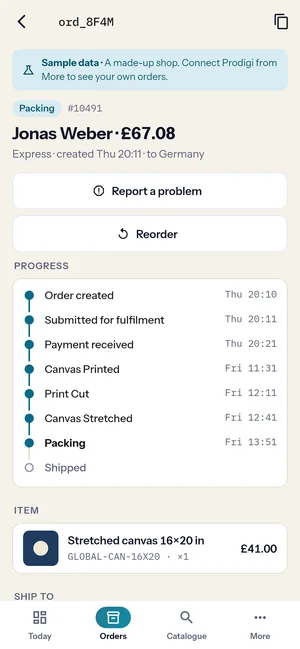
Once linked, most orders need nothing from you. The work is in the exceptions: an order that fails artwork checks, a hold on your lab account, a parcel the carrier can’t deliver. Squarespace shows the order as placed either way. Printhawk is an independent iPhone app for Prodigi merchants that lists those exceptions on one screen and shows each order’s production steps. Read the photographers’ guide for paper and pricing choices.
Squarespace or Shopify for prints?
| If you… | Lean towards |
|---|---|
| Already have a Squarespace portfolio and sell a handful of prints | Squarespace |
| Want the shop to look like part of your portfolio | Squarespace |
| Plan a large catalogue with many variants and apps | Shopify |
| Sell several product types from several labs | Shopify |
Both connect to Prodigi with automatic order routing. Moving later is possible but means re-creating products and re-linking them, so choose with the next two years in mind. See Shopify print on demand.
Questions
Can you do print on demand on Squarespace?
Yes, with a commerce-enabled Squarespace site and a print lab that integrates with it. Prodigi lists Squarespace among its sales channel integrations with automatic order processing.
How do I connect Prodigi to Squarespace?
Prodigi’s help centre says to click Connect your Squarespace store on the Squarespace tile under Sales channels in the Prodigi dashboard, then wait for its email. Products must already exist in Squarespace.
Which shipping method is used for Squarespace orders?
By default Prodigi uses Auto-select for Squarespace orders, which follows the shipping option the customer chose at checkout. You can set a fixed method per product.
Is Squarespace or Shopify better for selling prints?
Squarespace suits artists and photographers whose site is mainly a portfolio with a shop added; Shopify suits a store-first business with many products and apps. Both connect to print labs.
Sources
- Prodigi Help Centre, Do you have a Squarespace integration? (support.prodigi.com), read 27 November 2026.
- Prodigi FAQ, Integrations (prodigi.com/faq/integrations), read 27 November 2026.
- Prodigi, Squarespace integration page (prodigi.com/squarespace-print-on-demand), read 27 November 2026.
- Prodigi home page, white-label packaging (prodigi.com), read 27 November 2026.