 Printhawk
Connect your Prodigi account
Updated
Printhawk talks to Prodigi with your account’s API key. You paste it once; the app checks it with Prodigi, then keeps it in the iPhone Keychain.
Steps
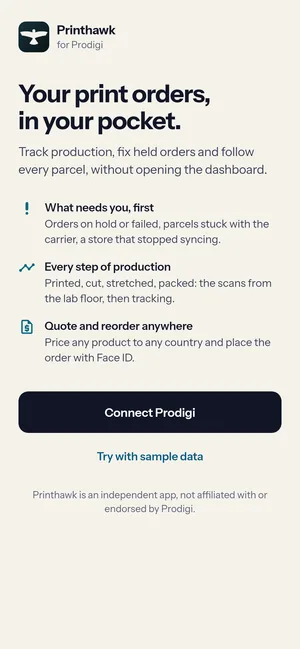
- Open Printhawk and tap Connect Prodigi. (Already set up? Go to More › Connect Prodigi.)
- Choose a plan, or tap Continue with Free.
- On a computer, open dashboard.prodigi.com (or the sandbox dashboard), go to Settings › API and copy the API key. It starts with
live_orsandbox_. The Open the dashboard button in the app opens it too. - Paste the key into API key. The field tells you whether it is a live key (real orders) or a sandbox key (never printed or charged).
- Optionally give the account a name, such as your shop’s name.
- Tap Connect. Printhawk asks Prodigi for your merchant details (
GET /merchant). If Prodigi accepts the key and the account is active, you land on Today.
What happens to the key
The key is stored only in this iPhone’s Keychain and is only ever sent to api.prodigi.com. Printhawk reads your orders, shipments, invoices and stores with it, and changes an order only when you confirm with Face ID. Details in privacy and security; to hide every change, turn on read-only mode.
If it doesn’t connect
- “Prodigi v5 keys start with live_ or sandbox_”: you copied something else, or an old key. Copy it again from Settings › API.
- “API keys have no spaces” or “looks too short”: part of the key is missing.
- Suspended account: Prodigi says the account isn’t active. Check the dashboard or contact Prodigi.
Printhawk is an independent app, not made or endorsed by Prodigi. It is iPhone only and not in the App Store yet.
More: your Prodigi API key, sandbox and live, and the Prodigi API.
Questions
Do I need a Prodigi account to use Printhawk?
To see your own orders, yes: Printhawk works with a Prodigi API key. Without one, tap Try with sample data on the welcome screen to explore a made-up shop.
Why was my key rejected?
Printhawk checks the key before asking Prodigi: it must start with live_ or sandbox_, contain no spaces and be complete. Prodigi v5 doesn't take old test_ keys. If the format is right, Prodigi itself refused it, or the account is suspended.
Can I connect from my phone without a computer?
Yes, if you can open dashboard.prodigi.com in a browser on the phone and copy the key. Most people copy it on a computer and send it to the phone with Universal Clipboard or AirDrop.
Is connecting free?
Yes. Free includes one connected account with Today, orders, timelines, tracking, catalogue prices and sales channels. A second account is part of Printhawk Pro.